5.00
(3 Ratings)

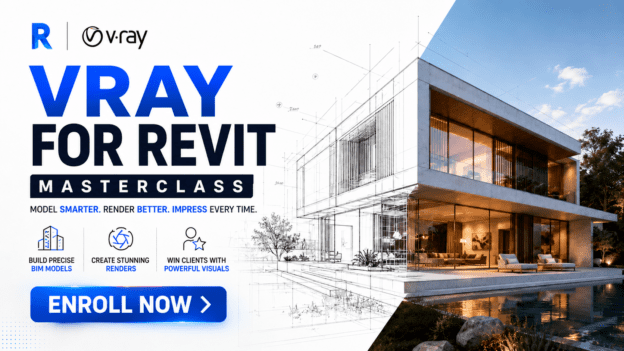
3D Visualization with V-Ray for Revit Masterclass

Wishlist Share
Share Course
Page Link
Share On Social Media

About Course

What if you could turn your Revit models into stunning, photorealistic visuals… without exporting your files or learning complicated new software?

With V-Ray for Revit, high-end architectural rendering becomes part of your normal Autodesk Revit workflow. You can create beautiful images, animations, and real-time visualizations directly inside the environment you already use.

But here’s the truth…

Most designers who install V-Ray barely unlock its real power.

They struggle with lighting.
They guess with materials.
They spend hours trying to get results that still look flat or unrealistic.

That’s exactly why this 3D Visualization with V-Ray for Revit Masterclass was created.

Imagine this:

You transform your Revit model into a photorealistic image that looks like a real photograph.

Your clients don’t just look at drawings…
They experience your design before construction even begins.

You present interiors with realistic lighting, reflections, and materials that make the space feel alive.

And suddenly, your presentations become far more powerful — because when clients see the vision clearly, approvals come faster.

Sounds powerful, right?

That’s because it is.

But here’s the problem…

Most tutorials only show you buttons and menus. They don’t show you how professionals actually use V-Ray to produce high-quality architectural visuals that impress clients and win projects.

You’re often left confused, overwhelmed, and wasting hours experimenting.

That’s why this course walks you step by step, showing you exactly how to use V-Ray inside Revit to create visuals that look like they came from a professional visualization studio.

So you can:

Create photorealistic renderings directly inside Revit
Learn how to apply advanced lighting, materials, and textures to make your designs look real.

Produce beautiful interior and exterior visualizations
Turn simple models into high-impact images that elevate your presentations.

Render faster without exporting your model
Work inside your existing Revit workflow while achieving high-end visualization results.

Impress clients and strengthen your portfolio
Show your designs in a way that communicates your vision clearly and professionally.

Here’s what you get when you enroll today:

Step-by-step video lessons showing you exactly how to use V-Ray for Revit
Practical demonstrations so you can follow along and build real skills
Professional rendering techniques used to create photorealistic architectural visuals
Time-saving workflows that help you work faster and smarter

By the end of this course, you won’t just know how V-Ray works.

You’ll know how to use it confidently to turn your Revit models into visuals that truly sell your ideas.

The question is simple:

Are you ready to stop showing ordinary Revit views…
and start presenting stunning photorealistic visualizations that capture your clients’ imagination?

Enroll in the 3D Visualization with V-Ray for Revit Masterclass today and start transforming your designs into visuals that speak for themselves.

Claim your spot now and bring your Revit designs to life.

Show More

What Will You Learn?

  • You’ll gain complete confidence navigating the V-Ray environment inside Revit so you can control the rendering process instead of guessing.
  • You’ll learn how to control natural lighting, one of the biggest factors that determines whether a render looks realistic or artificial.
  • You’ll learn how to make your materials look convincingly real instead of flat or artificial.
  • You’ll learn how to create mood, depth, and atmosphere in your renders using environmental controls.
  • You’ll learn the professional rendering workflow that produces clean, high-quality final images.
  • You’ll combine everything you’ve learned to produce a complete professional interior render.

Course Content

WEEK 1 — V-Ray Foundations & Interface Mastery
Learning Objective By the end of this module you can confidently navigate the V-Ray interface, understand key controls, and apply correct basic render settings inside Revit. Recommended Timeframe ⏱ 2–3 days (Video time ≈ 15 minutes)

WEEK 2 — Environmental Lighting & Scene Foundation
Learning Objective By the end of this module you should be able to correctly set up natural lighting and understand how environment settings affect realism. Recommended Timeframe ⏱ 1–2 days

WEEK 3 — Material Editing & Realism Control
Learning Objective By the end of this module you should be able to convert Revit materials to V-Ray materials and control realism through texture, reflection, and roughness. Recommended Timeframe ⏱ 1–3 days

WEEK 4 — Artificial Lighting & Vegetation
Learning Objective By the end of this module, you should be able to add and control artificial lighting and enhance scenes using realistic vegetation assets. Recommended Timeframe ⏱ 1–3 days

WEEK 5 — Final Rendering Workflow
Learning Objective By the end of this module you should be able to apply final render settings and produce a clean, presentable V-Ray render. Recommended Timeframe ⏱ 2–3 days

WEEK 6 — Interior Rendering Mastery
Learning Objective By the end of this module you should be able to independently produce a realistic interior render using correct lighting, materials, and render settings. Recommended Timeframe ⏱ 4–5 days

Earn a certificate

Add this certificate to your resume to demonstrate your skills & increase your chances of getting noticed.

selected template

Student Ratings & Reviews

5.0
Total 3 Ratings
5
3 Ratings
4
0 Rating
3
0 Rating
2
0 Rating
1
0 Rating
KB
1 week ago
Before this course, my Revit presentations looked too basic to truly impress clients. I could model buildings but my renders lacked realism and emotional impact. After completing the V-Ray for Revit Masterclass, everything changed. I now create photorealistic renders with realistic lighting, textures and atmosphere directly inside Revit. Clients immediately connect with the designs because they can actually visualize the final project. The AI assistant, Loveth, was incredibly helpful whenever I got stuck and the community support kept me motivated throughout the program.
What I loved most about this program was how practical and structured it was. Instead of overwhelming me with random rendering tutorials, the lessons followed a clear workflow that made learning V-Ray much easier. The weekly assignments and gamification system pushed me to stay consistent and earning points as I completed lessons made the experience surprisingly engaging. By the end of the capstone project, I was producing professional-quality interior renders that looked portfolio-ready.
KM
1 week ago
I had tried learning rendering from YouTube before, but I always felt confused about lighting, materials, and final render settings. This masterclass simplified everything step by step. The combination of instructor Q&A sessions, the Loveth AI assistant, and the professional learning community made it feel like I was never learning alone. Within weeks, I was confidently creating high-quality renders directly inside Revit, and those visual presentations have already helped me stand out professionally

Want to receive push notifications for all major on-site activities?

Select your currency