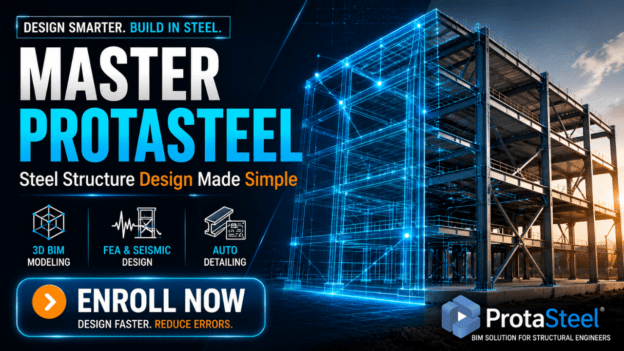
Steel Structure Design Made Simple: Expert ProtaSteel Training

About Course
Imagine being able to model, analyze, and design steel buildings in 3D—accurately, efficiently, and fully compliant with Eurocodes or US standards—without the stress, errors, or endless calculations that slow down most engineers.
With ProtaSteel, you don’t just draft drawings—you create intelligent, BIM-based models that anticipate challenges, optimize your designs, and save you hours, even days, on every project.
Now, imagine mastering this software so fully that your clients, colleagues, and bosses actually notice the difference in your speed, precision, and professionalism.
That’s exactly what our Steel Structure Design Made Simple: Expert ProtaSteel Training gives you.
Here’s What You’ll Learn:
Rapid 3D Finite Element Analysis (FEA): Quickly simulate your steel structures and identify weak points before construction begins.
Seismic & Load Design: Ensure every design meets international standards—Eurocodes, US codes, and more—without second-guessing.
Automated Detailing: Generate accurate, ready-to-build details directly from your model. No more tedious manual work.
Optimized Workflow: Reduce errors, cut review time, and streamline coordination with other engineers and architects.
By the end of this course, you’ll be designing complex steel structures like a pro, delivering faster, more accurate, and code-compliant projects—and finally feeling confident that your designs are solid from every angle.
Why You Can’t Afford to Wait:
Every day you spend manually calculating, double-checking, and fixing errors is lost time—and lost money. Engineers who master ProtaStructure are getting ahead in the industry, landing better projects, and earning more because they can do in hours what used to take days.
Your Path to Mastery Is Simple:
Access Step-by-Step Training: Learn the software in a logical, hands-on way—no fluff, no guesswork.
Practice With Real-Life Projects: Apply your knowledge immediately to projects you care about.
Become a Confident Pro: Go from beginner to advanced, mastering modeling, analysis, and detailing.
Here’s the Best Part:
You don’t need to waste years experimenting or risk costly mistakes on live projects. Every technique, shortcut, and tip is battle-tested and industry-approved—ready for you to apply from day one.
So here’s the question:
Do you want to keep struggling with slow, error-prone workflows… or do you want to become the engineer who designs steel structures faster, smarter, and with total confidence?
If your answer is “I want to be the pro who gets results and gets noticed,” then your next step is clear:
Enroll in the Steel Structure Design Made Simple: Expert ProtaStructure Training today and start mastering the software that top structural engineers rely on worldwide.
Don’t wait—every day you delay is a day you could be saving hours, impressing clients, and delivering better projects.
Click the button below to claim your spot and start your journey to becoming a ProtaStructure expert:
Course Content
WEEK 1 — Orientation & Steel Modeling Mindset
WEEK 2 — Grid, Stories & Vertical Elements
WEEK 3 — Beams, Purlins & Bracing System
WEEK 4 — Secondary Members, Floors & Loading
WEEK 5 — Structural Analysis & Member Optimization
WEEK 6 — Steel Plates, Bolts & Basic Connections
WEEK 7 — Connection Macros & Advanced Connections
WEEK 8 — Take-Offs, Documentation & Export
Earn a certificate
Add this certificate to your resume to demonstrate your skills & increase your chances of getting noticed.