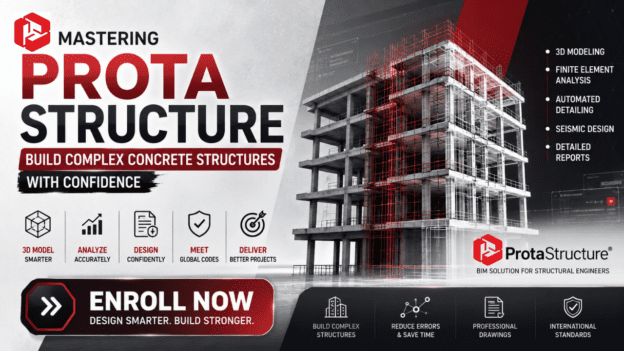
Mastering ProtaStructure: Build Complex Concrete Structures with Confidence

About Course
Have you ever spent hours—sometimes days—struggling with calculations, models, or manual detailing, wishing there was a faster, more reliable way to turn your designs into reality?
What if you could cut that time in half, avoid costly mistakes, and feel 100% confident that your structures meet international standards—without the stress?
That’s exactly what ProtaStructure lets you do. And now, with this Course, you can master this all-in-one BIM-based software and take your structural design skills to a level most engineers only dream of.
Imagine This:
Design complex concrete buildings in 3D without the headaches of manual modeling.
Run accurate finite element analyses in minutes, not hours, to verify every load and connection.
Automatically generate detailed drawings and reports that satisfy Eurocodes, US standards, and more.
Design for seismic conditions confidently, knowing your models meet strict safety requirements.
All this is possible when you know how to leverage ProtaStructure’s full power—and that’s exactly what this course teaches.
Why This Course Is Different
Unlike generic tutorials that skim the surface, this course shows you step-by-step workflows that professionals actually use in real projects. You won’t just click buttons—you’ll learn to think like a ProtaStructure expert.
Hands-on exercises: Model, analyze, and design buildings from scratch.
Real-world projects: Apply what you learn to scenarios you face daily.
Pro tips and shortcuts: Save hours of work and avoid common pitfalls.
Up-to-date international codes: Ensure your designs meet global standards.
Who This Course Is For
Engineers tired of manual, error-prone calculations
Designers who want to level up in BIM-based structural software
Professionals seeking career growth and higher-paying projects
If that’s you, this course is your shortcut to faster, safer, and more impressive structural designs.
Here’s What You’ll Walk Away With
Complete mastery of ProtaStructure’s 3D modeling and FEA tools
The ability to automate complex detailing and reporting
Skills that make you stand out to employers and clients
Don’t Let Complexity Hold You Back
Every day you delay, you risk wasting hours on tedious calculations, losing bids to competitors, and settling for designs that aren’t optimized.
With this course, you’ll transform the way you work, unlocking faster project delivery, higher accuracy, and total confidence in your designs.
Ready to Transform Your Structural Design Skills?
Click the button below to enroll in the Mastering ProtaStructure Course today and start designing smarter, faster, and with total confidence.
Stop struggling. Start building. With the right tools—and the right training—you can become the structural engineer everyone wants on their team.
Course Content
WEEK 1 — Orientation & Interface Mastery
- 05:38
- 11:53
- 21:39
- 11:48
Assignment 1
WEEK 2 — Axis Creation & Grid Control
WEEK 3 — Columns & Primary Structural Elements
WEEK 4 — Shear Walls, Beams & Openings
WEEK 5 — Slabs, Plinth Beams & Load Inputs
WEEK 6 — Stories, & Special Elements
WEEK 7 — Structural Analysis & Core Design
WEEK 8 — Slab, Foundation & Safety Verification
WEEK 9 — Structural Detailing
WEEK 10 — Structural Drawings & Printing
Earn a certificate
Add this certificate to your resume to demonstrate your skills & increase your chances of getting noticed.