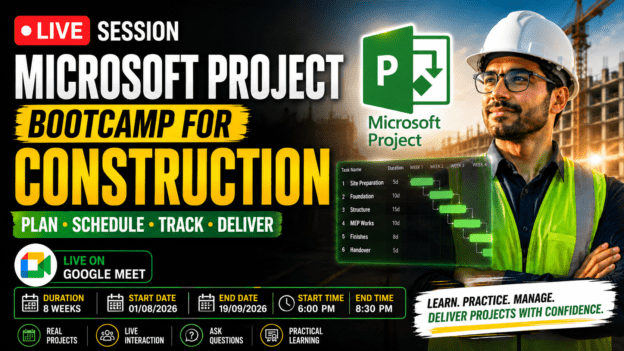
Microsoft Project Bootcamp for Construction: Plan, Schedule & Deliver Projects Like a Pro
About Course
What if you could take full control of your construction projects… instead of constantly reacting to delays, cost overruns, and confusion on site?
Because let’s be honest…
Most construction projects don’t fail because of lack of effort.
They fail because of poor planning, weak scheduling, and zero tracking.
Deadlines slip.
Budgets explode.
Teams get misaligned.
And the person responsible?
The one managing the project.
Here’s the uncomfortable truth:
Knowing construction is not enough.
If you can’t plan, schedule, and control a project properly…
You’ll always be:
- Guessing timelines
- Struggling with coordination
- Reacting instead of leading
But imagine this instead…
You open your project file…
And instantly see:
✔ Every task clearly organized
✔ A realistic construction schedule
✔ The exact sequence of activities
✔ Resource allocation across teams
✔ Project costs and budget breakdown
✔ Early warning signs of delays
You’re no longer guessing.
You’re in control.
Introducing: Microsoft Project Bootcamp for Construction
This is a practical, real-world training program designed to turn you into someone who can confidently plan, manage, and deliver construction projects.
Using Microsoft Project — a powerful tool used globally to:
- Build dynamic schedules
- Assign and manage resources
- Track progress in real time
- Control project costs
- Visualize timelines using Gantt charts and dependencies
Why This Bootcamp is Different
Most courses show you features.
This bootcamp shows you how to actually manage a construction project from start to finish.
You won’t just learn buttons…
You’ll learn how to think like a project manager.
The Real Problem This Solves
Without proper project management skills, you risk:
❌ Delays due to poor task sequencing
❌ Cost overruns from lack of tracking
❌ Resource conflicts and inefficiencies
❌ Miscommunication between teams
❌ Stress from constant firefighting
This bootcamp eliminates that.
Learn By Doing — Not Just Watching
This is not theory-heavy.
Every session is practice-driven.
You’ll work on a real construction project scenario step-by-step:
- Planning
- Scheduling
- Resource allocation
- Cost tracking
- Progress monitoring
- Final reporting
By The End of This Bootcamp…
You won’t just “know Microsoft Project.”
You’ll have:
✔ A complete project schedule you built yourself
✔ Real project management experience
✔ A skill set that is immediately applicable on-site
✔ The confidence to manage projects professionally
The Competitive Advantage
In construction, the people who stand out are not just technical…
They are the ones who can plan, control, and deliver projects successfully.
That’s what this bootcamp gives you.
Ready to Take Control of Your Projects?
If you’re tired of:
- Unclear schedules
- Constant delays
- Budget surprises
- Poor coordination
And you want to become someone who plans with confidence and delivers results…
Then this is your next step.
Join the Microsoft Project Bootcamp for Construction today — and start managing projects like a true professional.
Course Content
Week 1: Foundations of Project Management & Microsoft Project
Foundations of Project Management & Microsoft Project
Week 2: Work Breakdown Structure (WBS) & Task Creation
Week 3: Scheduling & Task Dependencies
Week 4: Resource Planning & Allocation
Week 5: Cost Management & Budget Tracking
Week 6: Tracking Progress & Performance
Week 7: Managing Constraints, Risks & Changes
Week 8: Reporting, Dashboards & Final Project Review
Earn a certificate
Add this certificate to your resume to demonstrate your skills & increase your chances of getting noticed.