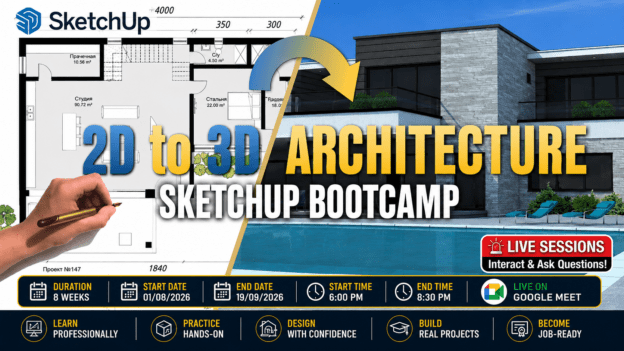
SketchUp for Architecture Bootcamp: From 2D Plans to Realistic 3D Presentations

About Course
What if you could turn ordinary floor plans… into stunning 3D architectural models clients can instantly understand and admire?
Because here’s the truth…
Most people struggle to visualize buildings from 2D drawings.
Lines on paper don’t create emotion.
They don’t help clients fully “see” the design.
And they certainly don’t make presentations stand out.
But realistic 3D models do.
Today, the architects and designers getting attention are not just drafting…
They’re presenting ideas visually.
They’re showing:
- Realistic spaces
- Professional walkthrough views
- Beautiful materials and finishes
- Presentation-ready designs
And clients love it.
The problem?
Learning 3D modeling can feel overwhelming.
You may have:
- Opened SketchUp and felt confused
- Struggled with messy models and broken geometry
- Watched tutorials but still couldn’t model confidently
- Spent hours trying to create roofs, stairs, or realistic presentations
Or maybe…
You know the basics but still don’t feel “professional.”
Imagine This Instead…
You import a floor plan…
And confidently transform it into a clean, professional 3D building model.
You create:
✔ Accurate walls, floors, windows, and roofs
✔ Realistic materials and textures
✔ Beautiful presentation scenes
✔ Professional perspectives and walkthrough views
✔ Layout sheets ready for clients or presentations
And instead of struggling…
You work with confidence and speed.
Introducing…
SketchUp for Architecture Bootcamp: From 2D Plans to Realistic 3D Presentations
A practical, hands-on training program designed to help you master architectural modeling workflows using SketchUp.
SketchUp is one of the world’s most popular architectural modeling tools because it allows you to quickly turn simple 2D drawings into professional 3D models using intuitive Push/Pull technology.
And in this bootcamp…
You’ll learn how professionals actually use it on real projects.
This is NOT a “random tools” course.
This is a complete architectural workflow bootcamp.
You’ll go from:
- Importing real floor plans
- To building a complete residential project
- To presenting it professionally with scenes, materials, layouts, and rendering basics
Step-by-step.
What Makes This Bootcamp Different?
Most SketchUp courses teach isolated tools.
This bootcamp teaches you how to think and work like an architectural designer.
You won’t just learn commands.
You’ll learn:
✔ Clean modeling workflows
✔ File organization techniques
✔ Professional architectural presentation methods
✔ Real-world project development
What You’ll Be Able to Do After This Bootcamp
By the end of the program, you’ll confidently:
✔ Convert 2D plans into accurate 3D architectural models
✔ Use professional SketchUp workflows efficiently
✔ Create clean geometry and organized project files
✔ Apply realistic materials and textures
✔ Model stairs, roofs, railings, and architectural details
✔ Use scenes, camera angles, and shadows for presentations
✔ Create layout sheets with plans, elevations, and sections
✔ Understand rendering workflows and visualization basics
Learn By Doing — Not Just Watching
Every session is designed around:
- Live demonstrations
- Guided practice
- Real project application
- Q&A and feedback
This means you won’t just “understand” SketchUp…
You’ll actually use it confidently.
The Real Advantage
When you can present your ideas visually…
People understand your vision faster.
Clients become more confident.
Your work becomes more impressive.
And your opportunities grow.
Because in architecture today…
Presentation is no longer optional.
It’s a competitive advantage.
Ready to Bring Your Designs to Life?
If you want to stop struggling with 3D modeling…
And start creating professional architectural models and presentations with confidence…
Then this bootcamp is for you.
Join SketchUp for Architecture Bootcamp Today
And learn how to transform simple floor plans into stunning 3D architectural presentations that truly stand out.
Course Content
WEEK 1: SketchUp Fundamentals + Architectural Workflow
SketchUp Fundamentals + Architectural Workflow
WEEK 2: Importing, Scaling & Clean Modeling Setup
WEEK 3: Ground Floor 3D Modeling of Classwork Project
WEEK 4: First Floor + Advanced Modeling Tools
WEEK 5: Stairs, Roof & Structural Detailing
WEEK 6: Materials, Textures & External Assets
WEEK 7: Scenes, Lighting & Presentation
WEEK 8: Layout, Rendering & Final Project
Earn a certificate
Add this certificate to your resume to demonstrate your skills & increase your chances of getting noticed.