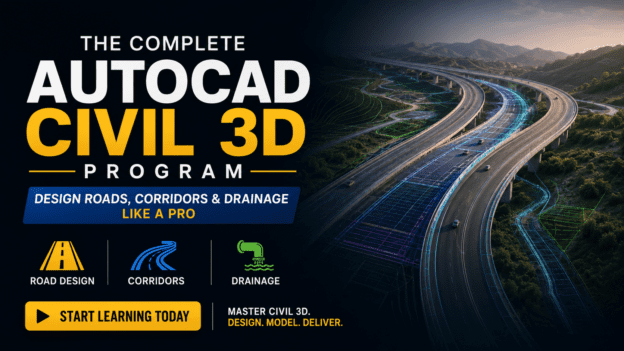
The Complete AutoCAD Civil 3D Program: Design Roads, Corridors & Drainage Like a Pro

About Course
What if you could sit in front of your screen… open a project… and confidently design a complete highway—alignments, profiles, corridors, surfaces—without second-guessing every step?
What if your drawings didn’t just look good… but updated automatically, reduced costly errors, and made you look like the go-to expert in your field?
Because right now…
Most engineers and designers are stuck doing things the slow, manual, frustrating way.
- Redrawing the same elements again and again
- Fixing errors that ripple across multiple sheets
- Struggling to fully understand powerful tools they know they should be using
- Watching others land better jobs… simply because they know how to use the right software
And that’s exactly where Autodesk Civil 3D changes everything.
Introducing: The Complete AutoCAD Civil 3D 2024 Course: Design Roads, Corridors & Drainage Like a Pro
This isn’t just another software course.
This is your step-by-step path to mastering a real-world, high-income skill that engineering firms actively look for.
Because with Autodesk Civil 3D, you’re not just drafting…
You’re building intelligent, dynamic models that think for you.
Here’s What That Means for You
Instead of static drawings…
You’ll be working with smart objects that automatically update when you make changes.
Change an alignment?
→ Profiles adjust instantly
→ Corridors update automatically
→ Sections reflect the new design without rework
No more wasting hours fixing what the software should handle for you.
Inside This Training, You’ll Discover How To:
✔ Design precise road alignments without confusion
✔ Create accurate profiles and cross-sections that update in real-time
✔ Build corridors like a professional highway designer
✔ Generate surfaces and grading models with confidence
✔ Manage complex design data without getting overwhelmed
✔ Turn messy, manual workflows into efficient, automated systems
And most importantly…
You’ll finally understand how everything connects together—so you’re not just clicking tools…
You’re thinking like a professional highway designer.
Why This Skill Changes Your Career
Let’s be honest.
In today’s market, knowing basic CAD is no longer enough.
But when you can confidently use Civil 3D for highway design…
You position yourself as someone who can:
- Handle real infrastructure projects
- Deliver work faster and more accurately
- Reduce costly mistakes
- Add immediate value to any engineering team
That’s the difference between:
👉 Being overlooked
vs.
👉 Being the person they need on every project
Imagine This…
You’re given a highway design project.
Instead of feeling unsure…
You open Civil 3D and know exactly what to do.
You build your model step by step…
And as you make changes, everything updates seamlessly.
Your output?
Clean. Accurate. Professional.
The kind of work that makes clients trust you—and managers rely on you.
This Is Not Theory. This Is Practical, Real-World Training.
You won’t be buried in unnecessary jargon.
You’ll follow a clear, structured system designed to take you from:
“I’ve heard of Civil 3D…”
to
“I can confidently design highways using it.”
The Bottom Line
If you want to stay where you are…
Struggling with outdated methods…
Second-guessing your designs…
Then you don’t need this.
But if you want to:
- Work faster
- Design smarter
- Build real-world infrastructure models
- And become someone clients and employers trust…
Then this is exactly what you’ve been looking for.
Take the Next Step
You can keep doing things the hard way…
Or you can finally learn the tool that was designed to make your work easier, faster, and more professional.
Start mastering The Complete AutoCAD Civil 3D 2024 Course: Design Roads, Corridors & Drainage Like a Pro today.
Because the sooner you learn it…
The sooner you become the person everyone depends on.
Course Content
Week 1: Foundations & Interface Mastery
- 14:48
- 24:32
- 11:48
Editing & Importing Survey Data, Creating Points
27:07Assignment 1
Week 2: Alignments & Layout Design
Week 3: Surface Modeling & Profiles
Week 4: Corridor Modeling & Quantities
Week 5: Labels, Annotation & Templates
Week 6: Outputs & Pipe Networks
Capstone project
Earn a certificate
Add this certificate to your resume to demonstrate your skills & increase your chances of getting noticed.